
OnlyFans is a paid subscription-based social media platform where content creators provide exclusive, paid content like images and videos to their fans and can interact with their followers directly. However, is it possible to get free OnlyFans videos without payment or subscription? In the following article, we will share methods for finding free OnlyFans videos on the OnlyFans website or other resources, and bonus tips for downloading OnlyFans videos as MP4 video files.
Content

Method 1: Get Free OnlyFans Videos from OnlyFans Official Website
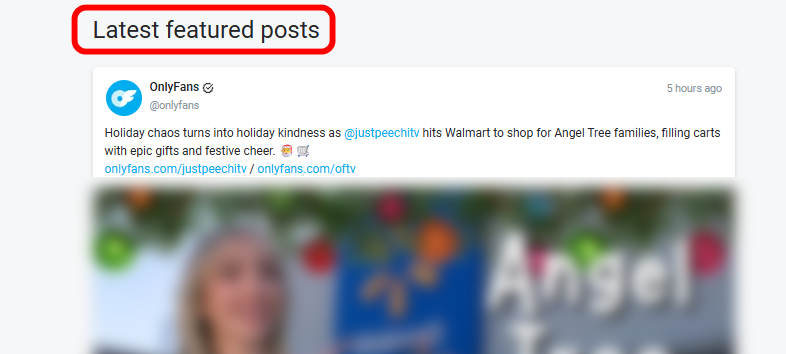
Although OnlyFans is primarily a subscription-based platform, it does have some videos that can be watched for free in its "Latest featured posts" section, including content such as talk shows, fitness videos, interviews, and beauty tutorials. These videos are free videos that OnlyFans makes available to the public and are usually also accessible for free viewing on OFTV. Here are the specific steps to get OnlyFans videos for free on the official website:
- Go to the OnlyFans official website (https://onlyfans.com).
- Scroll down to the login/registration section. No registration or login to an OnlyFans account is required.
- Find the officially recommended free OnlyFans videos that interest you and click to play them directly.
Method 2: View OnlyFans Videos for Free on Social Media
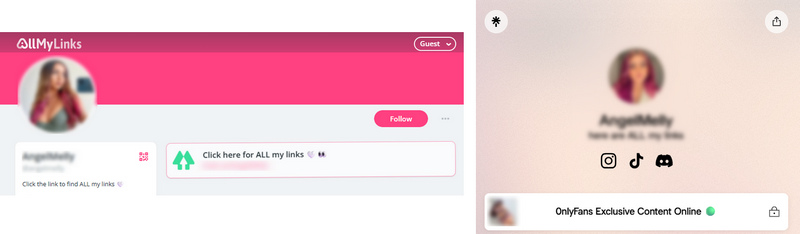
Some OnlyFans creators offer free OnlyFans content, including exclusive video clips, images, or limited-time free subscription links on social media platforms like Instagram, X, Facebook, Reddit, etc. After subscribing for free, followers can unlock the exclusive content that the creator has posted on OnlyFans. Some OnlyFans video content is even free to view on other online social media platforms without subscribing to its OnlyFans account. While finding these resources on social media requires a bit of effort, it is another feasible way to get OnlyFans videos for free.
- Enter the keyword "OnlyFans Free" into search engines like Google, Facebook, Reddit, Instagram, and more to find an OnlyFans account that offers videos for free.
- Click the link to go to the corresponding page and get free OnlyFans videos.
How to find someone who offers free videos on OnlyFans? Check out these 13 best OnlyFans finders to find people on OnlyFans.
Bonus Tip: How to Download OnlyFans Videos to MP4
TunePat OnlyFans Downloader, compatible with Windows and Mac OS, is the best OnlyFans video downloader that can batch download purchased or free OnlyFans videos to MP4 format with fast speed. With TunePat, you are allowed to download videos from creators' posts and their main profile pages. The output videos can be saved in MP4 and MKV formats, and are accessible forever after downloading. For users who want to download a large number of videos, TunePat's batch download function is a lifesaver. It allows users to download multiple videos at once at 5x faster speed.
All in all, TunePat OnlyFans Downloader makes it possible for you to permanently keep your favorite OnlyFans videos on various devices for offline viewing anytime.

How to Download Free OnlyFans Videos to MP4 with TunePat
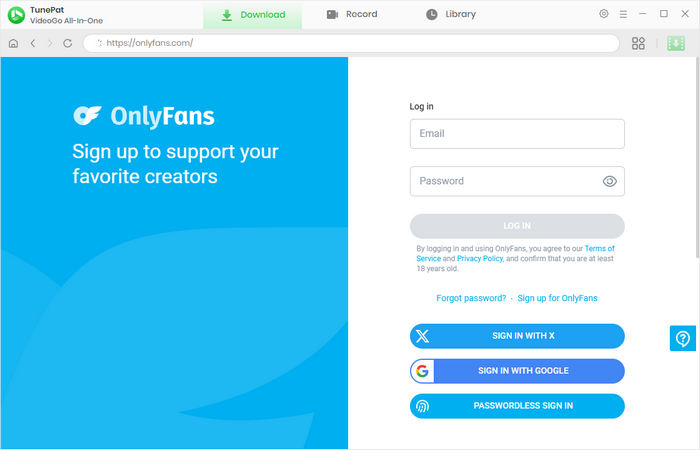
Step 1 Launch TunePat to Log in to OnlyFans
Click the download button above to download and install TunePat OnlyFans Downloader to your Windows or Mac computer. On the program's initial interface, select "OnlyFans". Then log in to your OnlyFans account.
Step 2 Customize Output Settings
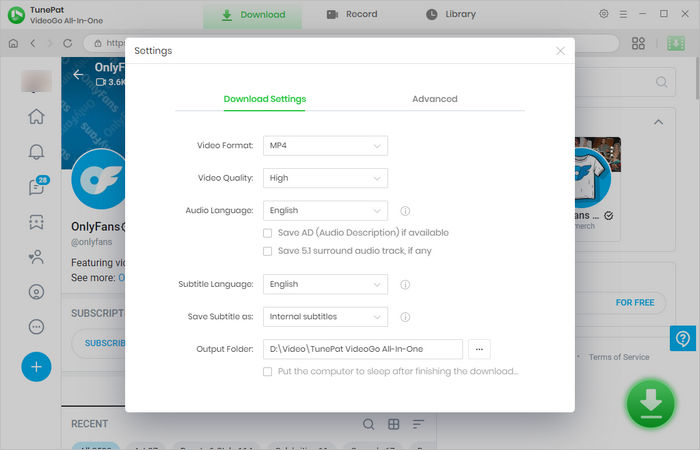
Click the gear (Settings) icon in the upper right corner to access the "Settings" interface. Here you can customize output settings, including video format, video quality, and output file save path. If you would like to download OnlyFans videos in MP4 format, remember to select "MP4" as the video format.
Step 3 Choose OnlyFans Video to Download
Back to the built-in OnlyFans browser, open the post or your favorite creator's profile. When you see the green arrow button in the lower right, simply click it to parse the available OnlyFans video on the current page.
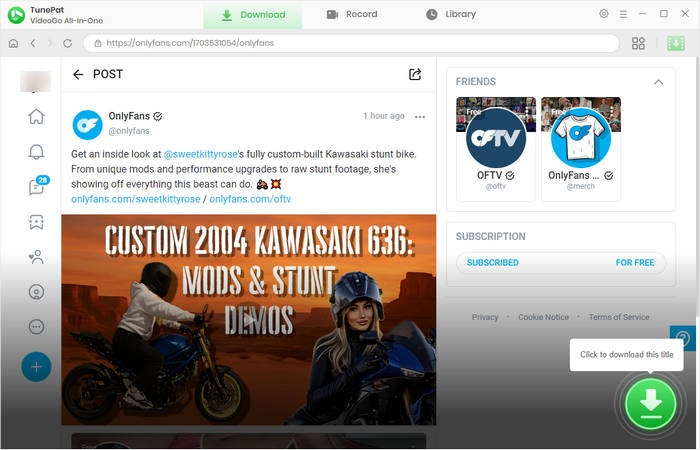
Step 4 Download OnlyFans Video
Next, click the "Download" button to start the download process. The download list on the right will display the download progress. Meanwhile, you can select more videos to download. The OnlyFans videos will be quickly downloaded to your local computer, while video quality up to 1080p is perfectly preserved by TunePat.
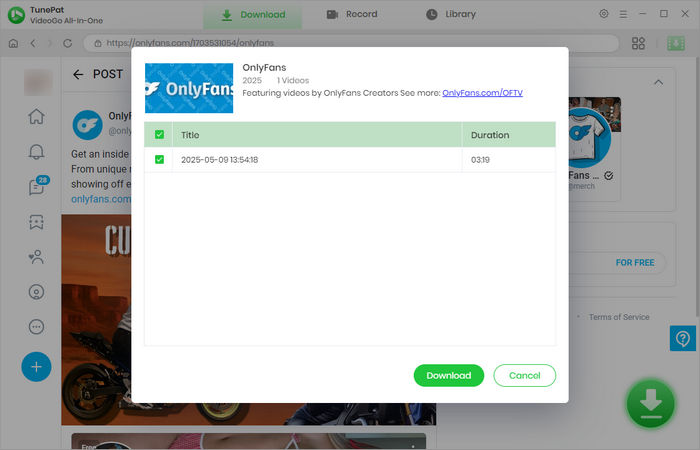
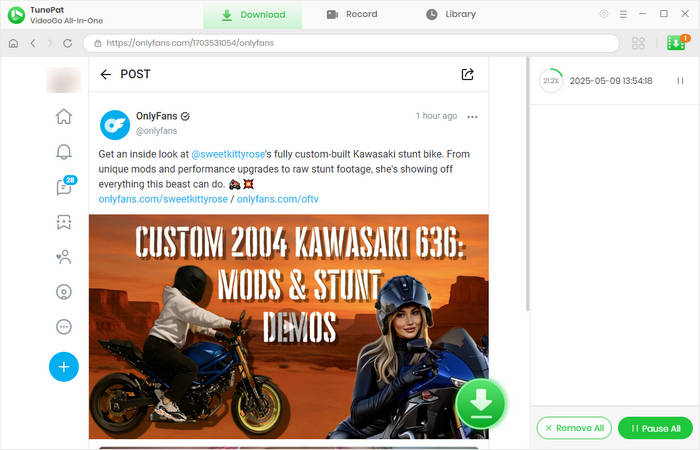
Step 5 Watch OnlyFans Video Offline
Once the progress bar reaches 100%, you can go to the "Library" to view the downloaded OnlyFans MP4 videos. Clicking the folder icon on the right will take you to the location of the video files. At this point, your favorite OnlyFans videos have been successfully downloaded to your local computer. With these video files, you can transfer them to any device for unlimited offline viewing.
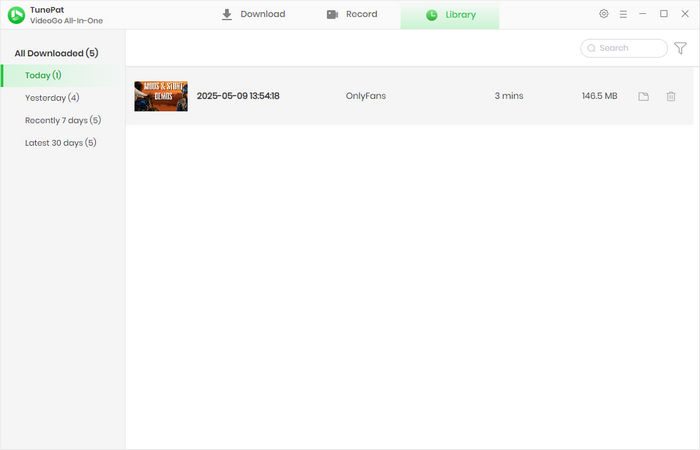
FAQs about Free OnlyFans Videos
Are there truly free OnlyFans videos?
Truly free OnlyFans videos do exist, but the situation is very complex and fraught with risks. Free OnlyFans videos mainly fall into two categories: legitimate free content shared by creators, and unauthorized, leaked, and pirated illegal free content.
Some creators offer limited-time free trials for new followers. If you're interested, keep an eye on their social media announcements. This is one of the legitimate ways to get free OnlyFans videos. On the contrary, some OnlyFans Mod APKs claim to unlock paid content for free. To some extent, it enables users to get "free OnlyFans videos". However, it carries significant security risks and legal issues. These APKs are likely malware, and using them could result in account bans, fraud, and other issues.
Is it legal to watch OnlyFans videos without a subscription?
The videos in the "Latest featured posts" section on the official OnlyFans website are free and legal to watch without a subscription.
How can someone legally view free OnlyFans content?
Some creators on the OnlyFans platform offer the free-to-subscribe option. You need to follow these steps to legally get free OnlyFans videos from their posts:
- Create a free OnlyFans account and enter your credit card information.
- Search for free content on OnlyFans and click the "SUBSCRIBE FOR FREE" button.
- View the free videos within the creator's posts.

Conclusion
In this article, we introduced 2 methods to get OnlyFans for free, and also provided an additional tip to download OnlyFans videos as MP4 files for offline watching. Now, go to the OnlyFans official website or other online resources to find your favorite free OnlyFans content! If you want to watch your loved OnlyFans creators anytime, just download their videos with TunePat OnlyFans Downloader and enjoy them offline.






Izzy Warren
Content Writer