5 Best Crunchyroll Downloader to Download Episodes [Free & Paid]
 By Izzy Warren
Topic
Updated on 25/02/2026
By Izzy Warren
Topic
Updated on 25/02/2026
Crunchyroll has grown to be the biggest anime streaming service in recent years, boasting a library covering various anime. Surprisingly, it allows users to watch anime for free with ads. But if you prefer watching offline, you should upgrade to the Premium tier. Can you download episodes on Crunchyroll for free? Absolutely yes. Read this article and discover the best 5 Crunchyroll downloader tools.

Contents
- Part 1: TunePat VideoGo All-In-One—Best & Free Crunchyroll Downloader
- Part 2: Any Video Converter—Crunchyroll Video Recorder
- Part 3: Keepvid—Online Crunchyroll Downloader
- Part 4: StreamFab Crunchyroll Downloader
- Part 5: CleverGet Downloader
- Part 6: Table Comparison of Crunchyroll Downloaders
- Part 7: FAQs about Crunchyroll Downloader
Part 1: TunePat VideoGo All-In-One—Best & Free Crunchyroll Downloader
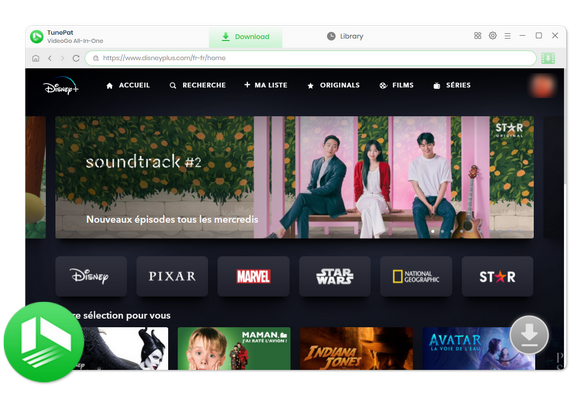
TunePat VideoGo All-In-One is the best Crunchyroll downloader for its free of use, high efficiency, and comprehensive ability. It can help you easily download from Crunchyroll on Mac and Windows and save your favorite episodes or movies on computers. Whether you have a Free, Fan tier, or other plans, you can download Crunchyroll videos with TunePat.
TunePat offers versatile features. You can download from Crunchyroll in MP4 or MKV with Full HD (1080p), and download the videos in batches at a fast speed. If there are multiple audio tracks and subtitles available, you can keep one, several, or all of them, just to your preference. If you are using an ad-supported account, TunePat can even remove ads and output only pure content.
TunePat also allows you to download Crunchyroll anime for free. It has a record feature, which enables you to record videos on Crunchyroll at any time. You can save the videos in MP4 format and 1080p resolution. More advanced than common recorders, the Crunchyroll screen won't turn black in TunePat, so you can record your favorite titles freely and effectively.
TunePat is a multi-functional tool. Apart from Crunchyroll, it enables you to download anime from HIDIVE, Hulu, YouTube, Netflix, Amazon Prime Video, and more than 1,000 websites. Both MP4 format and Full HD quality are available on all these platforms, so you can enjoy high-quality anime offline anytime, anywhere.
TunePat VideoGo All-In-One
- Download movies and shows from Netflix, Amazon Video, Disney+, and other streaming services in batches.
- Free download videos from YouTube, Abema, etc.
- Preserve HD videos in MP4/MKV format at high speed.
- Retain multilingual subtitles and audio tracks (including 5.1 audio).
- Select video quality, audio tracks, and subtitles as you wish.
- Get permanent offline playback for movies and shows at any time.
How to Download Crunchyroll Episodes on PC and Mac
In this section, we will display how to download Crunchyroll episodes on PC. This way allows you to download episodes in batches. If you prefer to download Crunchyroll anime for free, please refer to this tutorial and learn how to record Crunchyroll anime.
Step 1 Select to Download from Crunchyroll
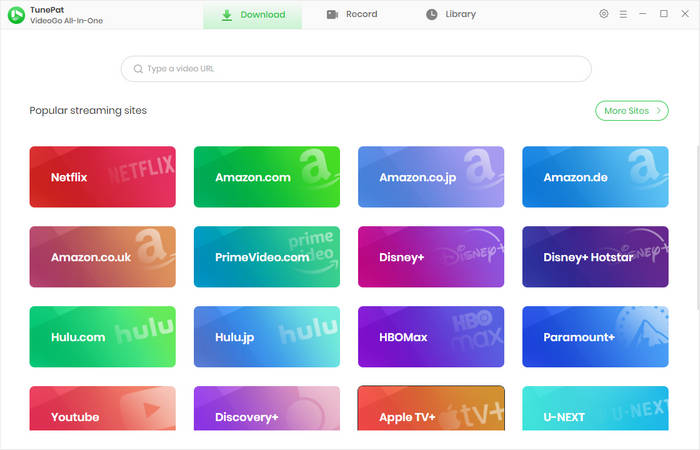
Download and install TunePat VideoGo All-In-One on your computer. TunePat is 100% safe and clean and will not harm your computer. Then launch it and select the Crunchyroll portion. The built-in Crunchyroll web browser will open. Please log in to your account. TunePat supports both free and premium accounts.
Step 2 Choose General Output Settings
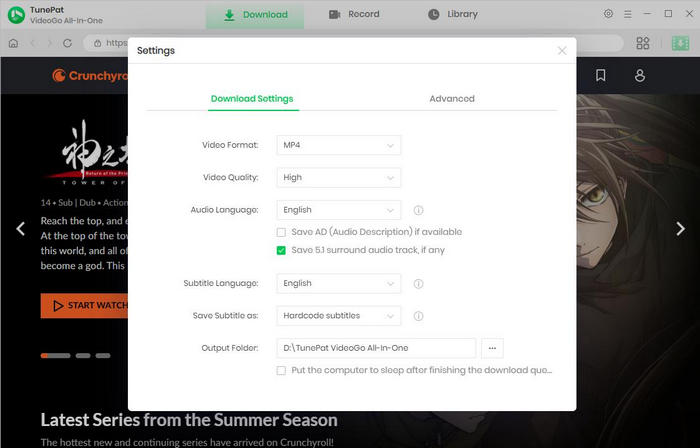
TunePat offers you customizable settings. Click the "Settings" icon that looks like a gear. The panel will open, and you can choose the output format, pre-set a language for audio and subtitles, specify an output folder, etc.
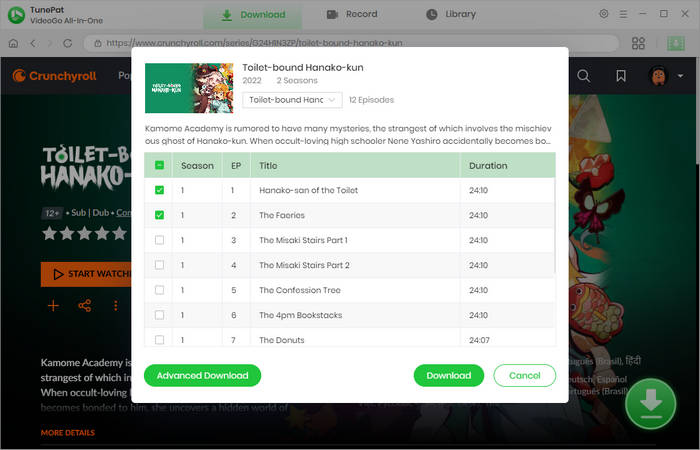
Step 3 Open A Title to Parse
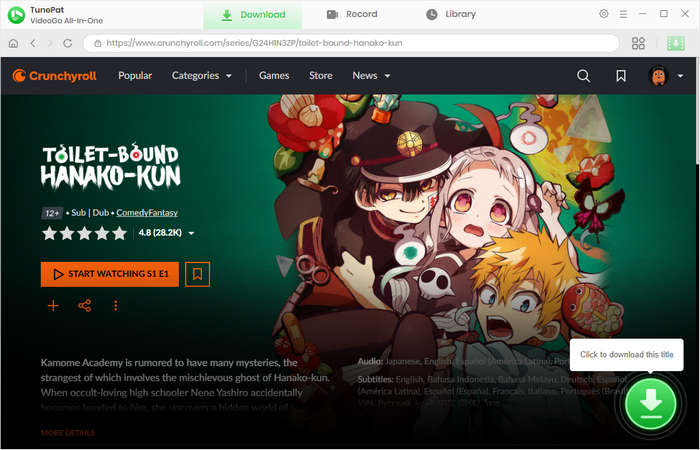
Browse the Crunchyroll library and open the episode you'd like to download. Click the green arrow to let TunePat parse the title. If you download a series, you can choose the season and episodes to your preference.
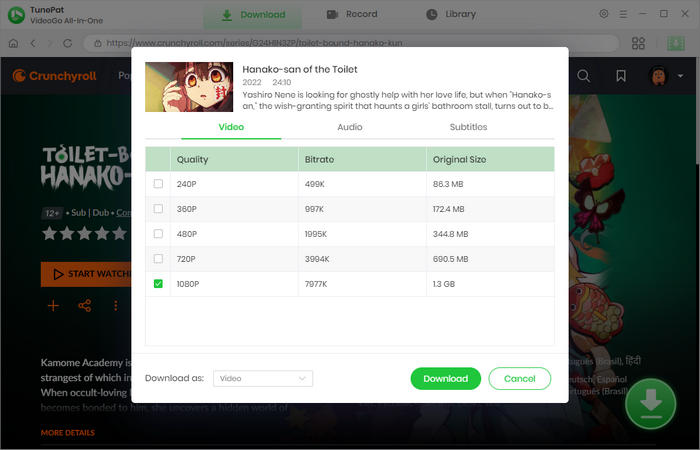
Step 4 Specify Advanced Download Settings
You can then choose specific video quality, audio tracks, and subtitles in a new window. Multiple audio tracks and subtitles can be selected. If you are downloading a series, click "Advanced Download" to get the pane after choosing episodes.
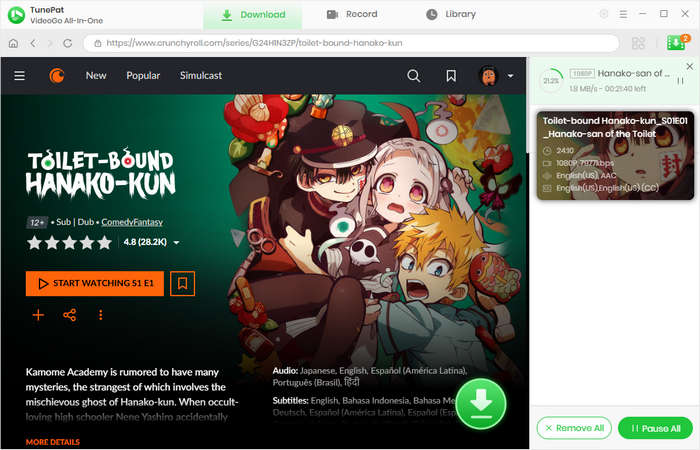
Step 5 Download Crunchyroll Episodes on PC and Mac
Now, click the "Download" button to start downloading Crunchyroll videos. TunePat will proceed with them at a fast speed. If you have more videos to download, repeat the steps to add them to the download queue. TunePat will download them one by one. When it's complete, you'll get plain video files on your computer.
Pros
- Download Crunchyroll episodes on Mac and PC.
- Download Crunchyroll videos in MP4 or MKV with 1080p resolution.
- Save Crunchyroll videos in batches at a fast speed.
- Support both free and paid Crunchyroll accounts.
- Remove ads for free accounts.
- Record to download from Crunchyroll for free.
- Clean, safe, and easy to use for all people.
Cons
- Record at 1x speed only.
Part 2: Any Video Converter—Crunchyroll Video Recorder
Any Video Converter downloads Crunchyroll episodes by recording. The recording feature enables you to capture screen of desktop, app window, and Chrome tab. You can just choose the window or customize the size freely. Regarding downloading from Crunchyroll, AVC can record episodes playing on the screen, as well as save the source audio. When it's complete, AVC outputs Crunchyroll videos in MP4 format, with 720p resolution saved, allowing you to watch Crunchyroll anime offline. Besides, you don't need to worry about a black screen while recording; AVC already solves the matter perfectly with advanced technology.
Meanwhile, Any Video Converter is developed as a multi-functional video tool. It can quickly download videos from over 1,000 websites in MP4 with high quality, including YouTube, TikTok, Instagram, Dailymotion, and Rumble. AVC features video editing. You can use it to convert video format, compress quality, trim video, split audio, and more.
Pros
- Download videos from Crunchyroll on PC and Mac.
- Download Crunchyroll episodes in MP4 with HD quality.
- Support video download, format conversion, and more video editing features.
Cons
- Download Crunchyroll video at 1x speed only.
How to Download Crunchyroll Episodes with Any Video Converter
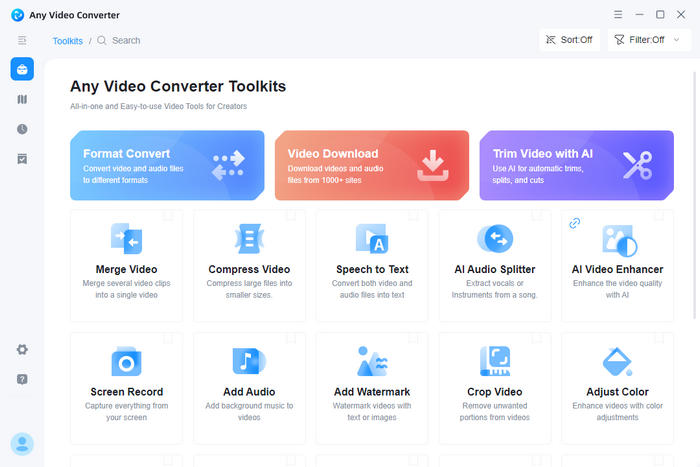
- Download, install, and run Any Video Converter on your computer.
- Click the "Screen Record" section and choose an output quality to your preference.
- Open a Crunchyroll episode and play it.
- Click "Select Area" and choose the Crunchyroll window.
- Click the record button to start recording the Crunchyroll video.
- After recording, you'll get plain video files of Crunchyroll episodes.
Part 3: Keepvid—Online Crunchyroll Downloader
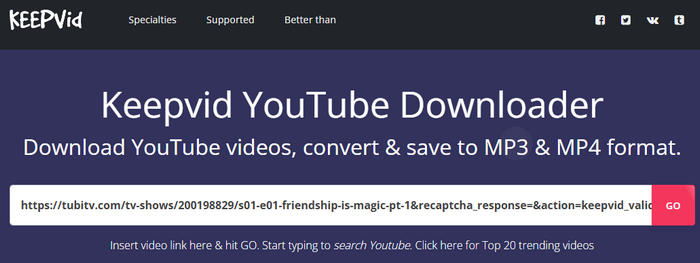
Keepvid is an online video downloader that supports various video websites. It is free to use and download videos from Crunchyroll. With Keepvid, you can also save videos in MP4 with HD quality. However, like many online tools, Keepvid contains various redirects: to download a video, you may encounter at least 3 redirects. In addition, its success rate is low for being unable to proceed with DRM videos. It takes longer to parse a URL and download a video.
Pros
- No need to install any app on device.
- Free to download videos in MP4 with HD quality.
Cons
- Place too many redirects.
- The success rate of downloading Crunchyroll videos is low.
How to Download from Crunchyroll with Keepvid
- Copy the link of your favorite Crunchyroll episode.
- Open the Keepvid website, paste the link, and click "GO".
- On the new page, click "GO" again, and wait for its parsing.
- Right-click the download button and choose "Save link as" to start downloading videos.
Part 4: StreamFab Crunchyroll Downloader
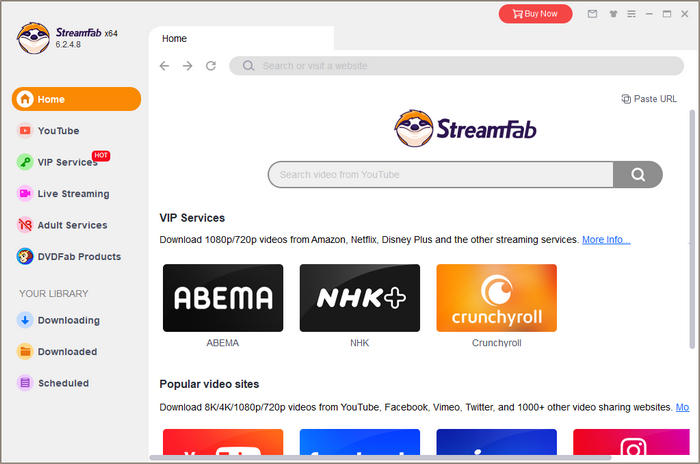
StreamFab Crunchyroll Downloader helps you effortlessly watch Crunchyroll without an internet connection. It allows you to download videos from the Crunchyroll website on computers. You can save the videos in MP4 format with high quality. If you have multiple videos to download, you can add them to the task list and download them one by one.
Pros
- Download Crunchyroll videos on computers.
- Download from Crunchyroll in MP4 with high quality.
Cons
- Users need to pay to download Crunchyroll videos.
- The speed of download and installation is slow.
- The design isn't user-friendly and is inconvenient to make settings.
- Contain many pop-up windows and ads.
How to Download Crunchyroll Videos for Offline Playback
- Run the program and select to download from Crunchyroll.
- Log in to your account and select a video.
- Choose output settings and click the download button to start the process.
Part 5: CleverGet Downloader
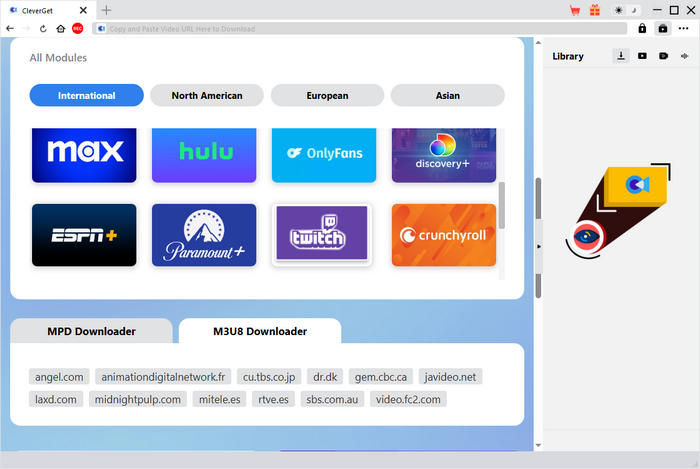
To download videos from the anime website, the other way is using CleverGet Downloader. It enables you to download videos on your PC and Mac. You can save the videos in MP4 format with HD quality. After downloading, you can watch the videos offline.
Pros
- Download videos from Crunchyroll in MP4.
- Preserve high quality for videos.
Cons
- The user interface isn't intuitive enough.
- The speed of downloading and loading is slow.
- Contain pop-up ad windows.
How to Download Videos from Crunchyroll on Computers
- Run the program and select to download from Crunchyroll.
- Choose a video and set output settings.
- Click the download button to save them on your computer.
Part 6: Table Comparison of Crunchyroll Downloaders
Check this part and get the intuitive comparison of the 5 Crunchyroll downloaders.
| TunePat | AVC | Keepvid | StreamFab | CleverGet | |
|---|---|---|---|---|---|
| Compatibility | Windows, Mac | Windows, Mac | Chrome, Edge, ...... | Windows, Mac | Windows, Mac |
| Free | ✔, recording is free | ✖ | ✔ | ✖ | ✖ |
| Format | MP4, MKV | MP4 | MP4 | MP4 | MP4 |
| Highest Quality | 1080P | 720P | 720P | 1080P | 1080P |
| Download Speed | Fast | Medium | Slow | Medium | Medium |
| Success Rate | High | High | Low | Medium | Medium |
| Safety | High | High | Low | Medium | Medium |
| Distinctive Feature | Support Netflix, Amazon Prime, and 1,000+ websites | Support 1k+ sites and video editing | No installation | Scheduled download | Support M3U8 download |
| Update and Maintenance | Regular | Regular | Seldom | Occasional | Occasional |
| Overall Performance /5 | ⭐⭐⭐⭐⭐ | ⭐⭐⭐⭐ | ⭐⭐⭐ | ⭐⭐⭐⭐ | ⭐⭐⭐⭐ |
Part 7: FAQs about Crunchyroll Downloader
Can you download shows on Crunchyroll?
Yes. Crunchyroll offers the download feature for subscribers with the Mega Fan or Ultimate Fan tier. Simply tap the download button, and you can watch shows offline. If you are not going to subscribe to the two plans, TunePat VideoGo All-In-One can solve it. It has a professional Crunchyroll downloader, allowing you to download any available shows from the platform with a free or paid account on computers. It doesn't matter if you are using an ad-supported account; TunePat can remove all the ads and save video content only.
Is there any Crunchyroll downloader online?
Yes. Keepvid is an online tool for Crunchyroll downloads. However, due to not being able to solve DRM videos, Keepvid often fails to download Crunchyroll videos. Many other online tools cannot proceed with Crunchyroll videos either. Thus, you have to turn to some professional apps. The best option is using TunePat VideoGo All-In-One, which offers you efficient and high-quality downloads, even for free. With TunePat, you can download Crunchyroll anime with a free or premium account. And the video quality can reach 1080p resolution.
What is the Crunchyroll downloader for Android?
Unfortunately, there is no Crunchyroll downloader for Android at present. Downloading videos from Crunchyroll takes more energy and requires a higher configuration. An Android or mobile device cannot support it. Therefore, try using a desktop or laptop app, such as TunePat VideoGo All-In-One, or an online tool.
Conclusion
By reading this article, you can get 5 great Crunchyroll downloaders that can download Crunchyroll episodes on Mac and PC. Simply pick the one that matches your needs best. But when it comes to the best Crunchyroll downloader, TunePat VideoGo All-In-One deserves a position. On one hand, it can batch download Crunchyroll episodes in MP4 with 1080P at a fast speed, without popups or risk; on the other hand, it enables free or Fan subscribers to download Crunchyroll and remove ads from the downloaded videos. More importantly, TunePat allows you to download from Crunchyroll for free by recording. With TunePat, Crunchyroll episodes are all in control.




Izzy Warren
Content Writer