How to Download YouTube Videos Without Premium (2026 Guide)
 By Izzy Warren
Topic
Updated on 31/08/2026
By Izzy Warren
Topic
Updated on 31/08/2026
YouTube is the undisputed king of video content, but its "offline viewing" feature comes with a frustrating catch. To save a video for the plane or a commute, you’re usually expected to pay for a monthly subscription. This leads many users to wonder: can you download YouTube videos without Premium?
The short answer is yes. While the official app keeps your downloads locked behind a paywall and restricts them to the app itself, there are far more flexible ways to save content permanently. Whether you want to archive a tutorial, save a high-quality music video, or keep your favorite creator's content on a hard drive, learning how to download YouTube videos without Premium is a game-changer.
In this guide, we'll show you the most reliable methods for 2026. From professional desktop software to specific workarounds for mobile, here is exactly how to download YouTube videos without Premium on PC, Mac, iPhone, and Android.
Contents
Can You Download YouTube Videos Without Premium?
Technically, YouTube’s official policy restricts offline viewing to its Premium subscribers. However, before looking for outside workarounds, it is worth noting that there are a few official "free" exceptions where you can save content without a subscription. These specific cases include:
- Your Own Content: You can always download your own uploaded videos in 1080p directly from YouTube Studio by clicking the three-dot menu on any video in your "Content" tab.
- Creative Commons: Many creators license their work under Creative Commons, which legally permits downloading and re-use.
- Public Domain: Historical archives and government footage with expired copyrights are also freely available for download.
While these native options are useful, they are quite limited in scope. If you want to save regular entertainment, music, or educational videos that don’t fall into these categories, you will need a more versatile solution. This is where specialized third-party tools come into play, offering more freedom and higher quality settings.
Best Way to Download YouTube Videos Without Premium on PC & Mac
Method 1. TunePat VideoGo All-in-one - Best YouTube Video Downloader Tool
If you are looking for the most reliable way to download YouTube videos without Premium on your computer, TunePat VideoGo All-In-One is the ultimate solution. Unlike unstable online converters, this professional software provides a clean, ad-free environment to download videos for free from YouTube and over 1,000 other sites.
Whether you need to save a 4K tutorial or a music video, TunePat makes it easy to YouTube video downloading without Premium in high-definition formats like MP4 or MKV. Beyond YouTube, it also supports premium streaming services like Netflix and Amazon Prime, making it a versatile media hub.
How to Free Download YouTube Videos Using TunePat VideoGo:
Step 1 Download and install TunePat VideoGo All-In-One on your PC or Mac.
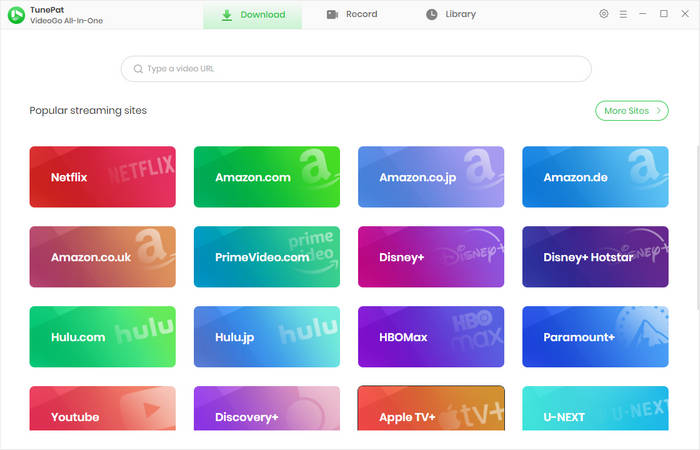
Step 2 Launch the program and select YouTube from the list of platforms. Click the "Settings" icon to pre-set your preferred video format and output folder.
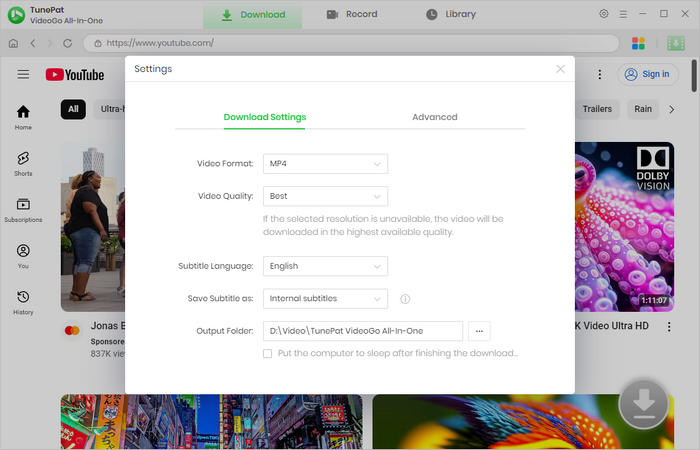
Step 3 Use the built-in browser to find your target video or simply paste the URL.
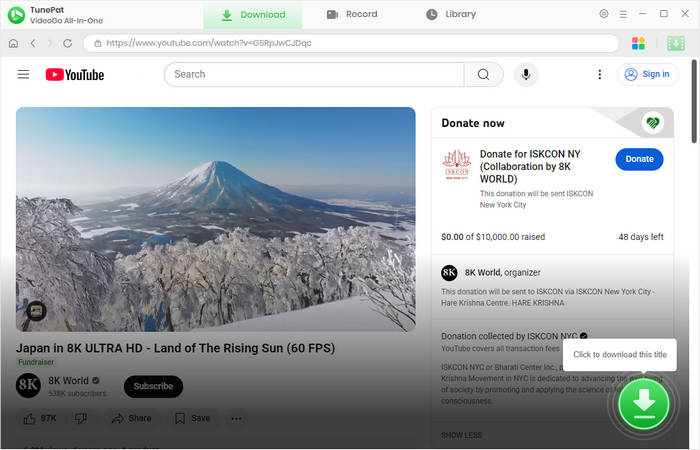
Step 4 Click the "Advanced Download" icon to choose specific resolutions (from 1080p up to 8K), audio bitrates, and subtitle languages.
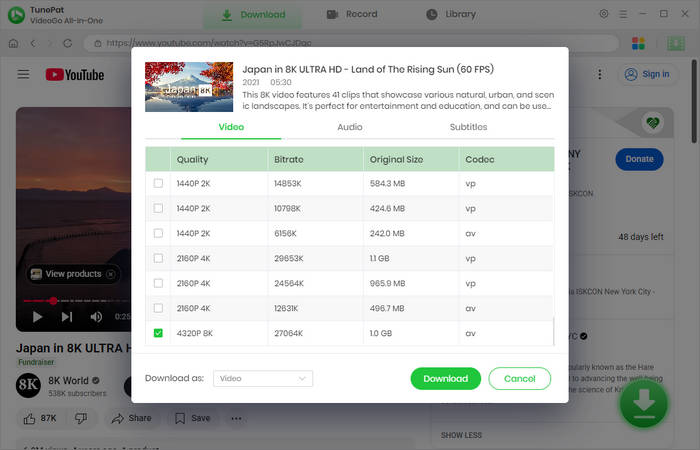
Step 5 Hit the "Download" button to start saving your YouTube videos permanently to your local drive.
- 8K Quality: Download YouTube videos in Ultra HD without Premium.
- Flexible Output: Convert YouTube videos to MP4/MKV/MP3 formats.
- Safe and Clean: Zero bundled plugins, malware, or annoying pop-up ads.
- Batch Mode: Save multiple videos or entire playlists.
- Paid Features: While you can free download videos from YouTube, accessing premium platforms like Netflix or Disney+ requires a subscription.
- Desktop Only: Support Windows/Mac OS only. No mobile apps.
Method 2. Any Video Converter Free – Versatile YouTube Downloader & Editor
If you are looking for a multifunctional tool to download youtube video without premium, Any Video Converter Free (AVC) is also a top-tier contender. While primarily known for its powerful conversion capabilities, it features a robust built-in downloader that makes it incredibly simple to download videos from YouTube for free.
Unlike basic online tools, AVC supports over 100 sharing sites—including Facebook, Vimeo, and Instagram — allowing you to build a permanent offline library in high-definition quality. It is an ideal choice for users who want to download YouTube videos without premium subscription and immediately edit them for personal projects.
How to Download YouTube Videos Without Premium Using AVC:
Step 1 Download and install Any Video Converter Free on your computer.
Step 2 Launch the program and select the "Video Download" module.
Step 3 Copy the URL of your favorite YouTube video and paste it into the search box.
Step 4 On the right-hand panel, customize your output options (such as MP4 format and resolution).
Step 5 Click "Start" to safely download youtube video without premium to your local drive.
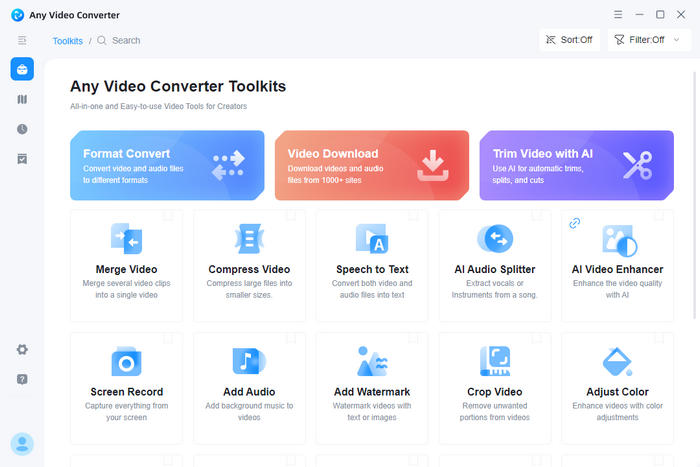
- Multi-function: Download youtube video and trim/crop them instantly.
- DVD Burning: Directly burn downloaded YouTube content to DVD for offline home cinema.
- Clean Output: No watermarks or intrusive ads within the interface.
- HD Support: Supports up to 4K/8K resolution for the highest quality offline library.
- Speed Caps: Free version has conversion speed limits compared to the Pro version.
- Upgrade Prompts: Includes occasional pop-ups encouraging a paid upgrade.
- Complex UI: Full media suite layout may feel cluttered for single-click users.
- Desktop Only: Not support iOS & Android devices.
How to Download YouTube Videos on iPhone & Android Without Premium
Method 1. Offliberty - Free online YouTube Video Downloader
If you are looking for a way to download youtube videos on iPhone & Android without Premium without installing complex apps, Offliberty is one of the most reliable browser-based solutions. As a veteran in the field with over 10 million monthly visits, it offers a "no-frills" approach to saving your favorite content directly to your mobile device or PC.
Offliberty is particularly effective for mobile users because it functions entirely within your web browser (Safari, Chrome, or Firefox), making it a top answer to the question of how to download youtube videos without premium on the go.
Steps to Download YouTube Videos Without Premium via Offliberty:
Step 1 Open the YouTube app and copy the URL of the video you wish to save.
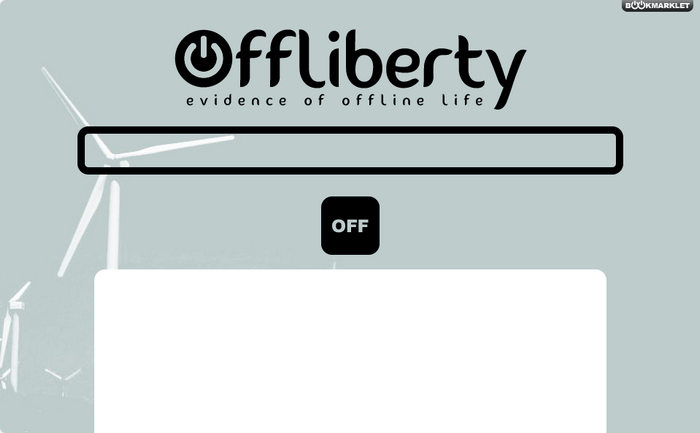
Step 2 Navigate to Offliberty (http://offliberty.com/) using your mobile or desktop browser.
Step 3 Paste the link into the central input field and tap the "OFF" button.
Step 4 Once the site processes the link, a yellow box will appear. Long-press (on mobile) or right-click (on PC) the yellow button and select "Download Linked File" to save the video as an MP4.
- No Registration Required: Ideal for casual one-click downloads.
- Clean Interface: Minimal ads and no aggressive redirects.
- Mobile Compatible: Full support for Android and iOS devices.
- MP4 Only: Cannot manually select resolution or file format.
- Regional Issues: English version is more stable than other localized sites.
- iOS Steps: iPhone users must save to the "Files" app first before the Gallery.
Methid 2. y2mate - Online YouTube Downloader for iOS & Android
If you need a quick, no-install solution to download youtube videos on android without premium or iOS, y2mate is a widely recognized choice. This browser-based tool is incredibly lightweight and versatile, supporting a vast array of platforms including YouTube, Facebook, and Dailymotion.
For many users, y2mate is the go-to answer for how to download youtube videos on iphone without premium because it bypasses the need for the App Store, working directly through Safari or Chrome. It offers various output formats like MP4, MP3, and WEBM, making it easy to tailor your download to your device's storage needs.
Steps to Download YouTube Videos Without Premium via y2mate:
Step 1 Copy the YouTube video link you want to save.
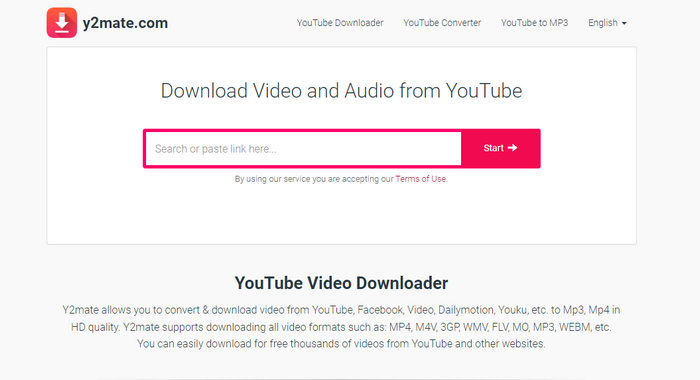
Step 2 Visit the y2mate website(https://v15.www-y2mate.com/) and paste the URL into the search box.
Step 3 Tap the "Start" button to process the video link.
Step 4 A list of available resolutions (from 144p to 1080p) will appear. Select your preferred format and click "Download" to save the video directly to your mobile gallery or PC.
- Instant Access: No app installation or accounts required; works directly on mobile browsers.
- Wide Resolution Choice: Allows you to download youtube video without premium in 144p to 1080p.
- Free & Unlimited: One of the few truly free, unlimited tools.
- Aggressive Pop-ups: Frequent redirects to "scammy" or NSFW adult websites.
- Security Risk: Clicking the wrong "Download" button can trigger unwanted software installs or trackers.
- Audio Issues: Occasionally, the 1080p video file may download without the audio track.
Methid 3. YTDown - Free Online YouTube Downloader
YTDown is a dedicated web-based conversion tool designed for speed and simplicity. If you want to download youtube video without premium in a matter of seconds, this platform allows you to process links without any software installation. It is a great alternative for those who need a "one-off" download. By simply pasting a URL, you can quickly convert YouTube content into popular media formats, making it a handy solution for both desktop and mobile users.
How to Download YouTube Videos Without Premium via YTDown:
Step 1 Visit the YTDown Official Site in your browser.
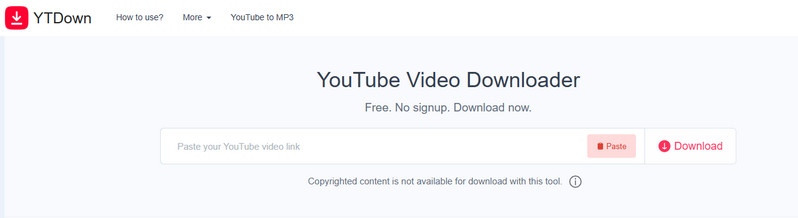
Step 2 Paste your YouTube video URL into the search bar and click the "Download" button.
Step 3 The tool will analyze the link; once loaded, choose your preferred format (MP3, M4A, or MP4).
Step 4 Select the output quality (YTDown supports up to 1080p HD).
Step 5 Click "Download". Note that a new tab with an advertisement may open—simply close it to access your direct download link.
- Intuitive UI: Clean, modern interface that is extremely easy to navigate on mobile.
- No Account Needed: Allows for instant, anonymous downloads with zero registration.
- Flexible Output: Allows you to download youtube video in 144p to 1080p.
- Misleading Ads: Users warn of aggressive pop-ups mimicking "Virus Found" alerts.
- Branded Files: Downloaded titles include "YTDown.com," requiring manual renaming.
- Link Errors: Long videos may occasionally trigger "Link Expired" or parsing failures.
Troubleshooting & Tips for YouTube Video Download
Q1. Why do YouTube downloads expire after 30 days?
If you use the official YouTube Premium offline feature, your downloads are not "permanent." To ensure you are still an active subscriber and to update ad-revenue data, YouTube requires your device to reconnect to the internet at least once every 30 days. If you remain offline longer, or if the creator removes the video, the download will expire and become unplayable. If you want to keep your YouTube video downloads forever, it is recommended to download via reliable 3-rd party tools such as TunePat.
Q2. Is it possible to download YouTube videos for free without Premium?
Yes, it is entirely possible. While YouTube restricts the official "Download" button to Premium members, you can use reliable third-party software or online downloaders to save videos directly to your local drive.
Q3. How to convert YouTube to MP3 without Premium?
Converting YouTube content to MP3 is a common need for music and podcast lovers. Without a Premium subscription, you can use a dedicated YouTube to MP3 converter like TunePat YouTube Music Converter or a trusted online converter. These tools will extract the audio track and save it as a high-quality MP3 or M4A file, which you can then transfer to your phone or MP3 player.
Conclusion
Downloading YouTube videos without a Premium subscription doesn't have to be complicated. Whether you prioritize the unmatched security and high-res quality of desktop software like TunePat and Any Video Converter, or the instant, no-install convenience of online tools like YTDown and y2mate, there is a solution for every user.
If you just need a quick clip for your iPhone or Android on the go, online downloaders remain a solid, time-saving choice. Just remember to stay alert for pop-up redirects! And for those planning a long trip or building a permanent high-quality library, we highly recommend sticking with desktop-based tools like TunePat VideoGo All-In-One to avoid aggressive ads and ensuring your files never expire. Just download and have a try now.

Izzy Warren
Content Writer