
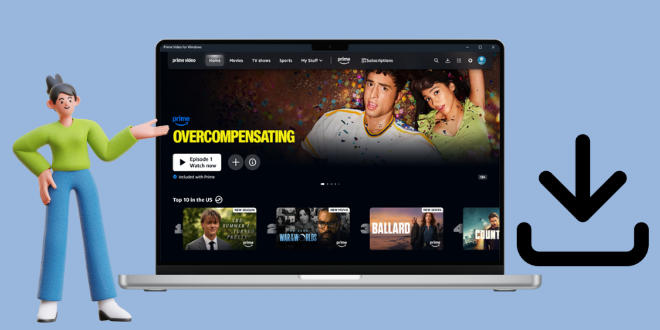
Want to download Amazon Prime Video to PC? There is something you should know about the Amazon Prime download limits. First, you can watch the downloads offline only during your subscription period. Furthermore, you have to use the Prime Video app to watch downloads. Besides that, you have to finish watching the downloads before they expire.
If you're looking for a solution to download Amazon Prime Video on PC, you've come to the right place. Please read on, and you will be able to download Amazon videos in MP4 with 1080p for permanent watching on PC.
Contents
Part 1: How to Download Amazon Prime Video to PC [MP4 1080P]
TunePat Amazon Video Downloader is a super-powerful Amazon Prime Video downloader. It can download movies and TV shows from Amazon Prime Video to PC, including Windows 11, 10, 8, and 7, allowing you to watch them offline on PC. The downloaded videos are no longer restricted by Prime Video, so you can play them outside the app. Undoubtedly, they are not connected to your subscription, meaning you can watch them at any time, even if you cancel Amazon Prime subscription. With TunePat, you can keep Amazon Prime Video forever.
TunePat can also save Amazon videos in standard MP4 and MKV formats, which enables you to transfer the downloaded videos to a laptop, mobile phone, tablet, USB extension like PenDrive, or any other compatible devices. Additionally, by using TunePat, you can save Amazon Prime Video to PC with high resolution (up to 1080p), while retaining multiple audio tracks and subtitles. The program offers you three options for subtitle type: external, internal, and hardcode subtitles.

TunePat Amazon Video Downloader
- Download movies and TV shows from Prime Video.
- Save Prime Video in MP4 or MKV format.
- Retain up to 1080p Prime Videos after downloading.
- Keep audio tracks and subtitles in multiple languages.
- Offline play Prime Video after canceling the subscription.
In this part, we will tell you how to use TunePat Amazon Video Downloader to download Amazon Prime Video on PC in MP4 format step by step. Please install the latest version of TunePat on your computer and then follow the steps below.
Step 1 Sign in to Amazon Video Web Browser
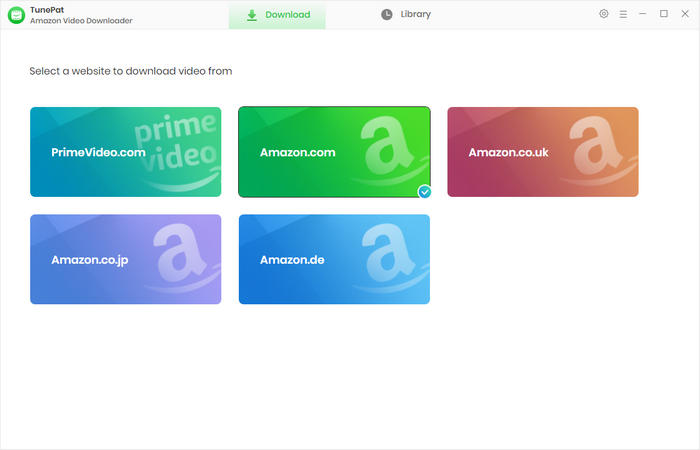
Firstly, launch TunePat Amazon Video Downloader on your computer. On the primary screen, choose a site that matches the region your account belongs to. The built-in web browser will open, prompting you to sign in to Amazon. Please enter your Amazon account and password to let TunePat access your Prime Video library.
Step 2 Choose Output Settings
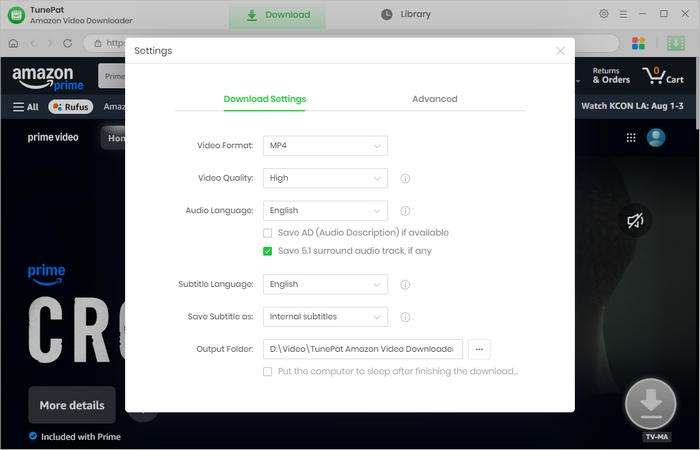
Click the "Settings" button on the upper right corner and choose the video format as MP4 or MKV, select video quality, and the language of audio tracks and subtitles. In addition, you can customize the output path for the downloaded videos. After that, close the settings window to apply the settings.
Step 3 Search for Amazon Prime Video to Download
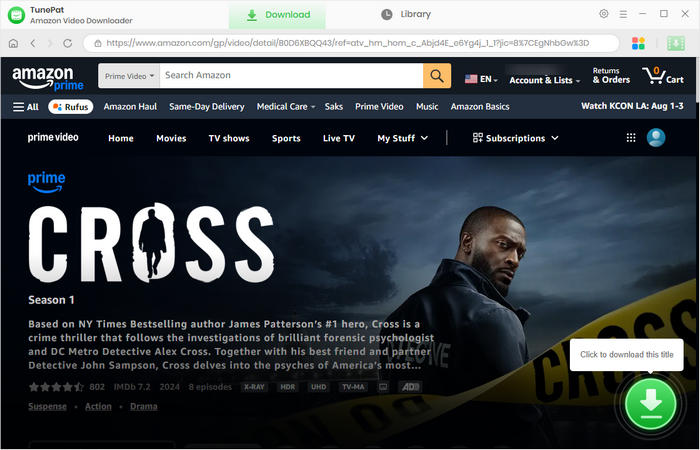
Enter the video's name or paste the video URL into the search bar on TunePat, and the program will quickly locate the title. Alternatively, go through the Prime Video web browser and open your favorite video. Next, click the green arrow in the bottom right.
Step 4 Pick Advanced Download Parameters
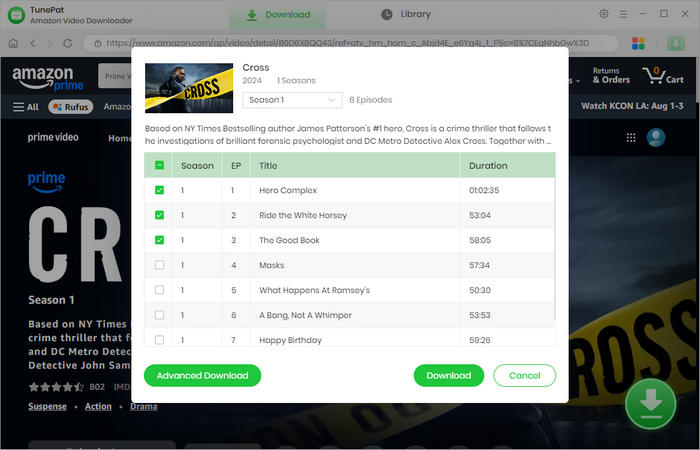
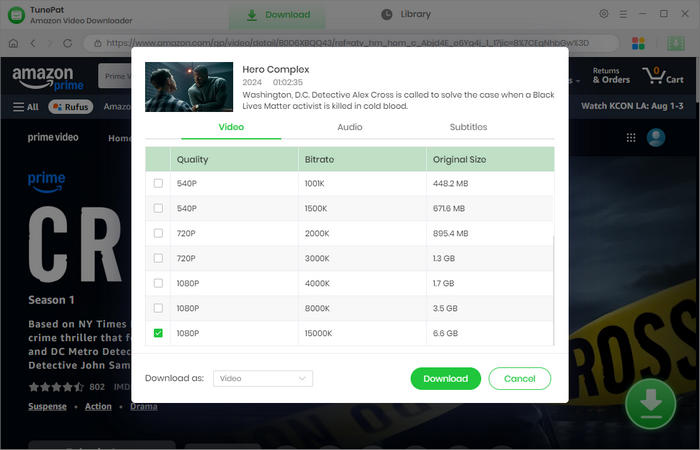
If you are downloading a TV show, you are allowed to choose the season and episodes first. Then click "Advanced Download", you can specify a video quality (1080p) and pick audio tracks and subtitles.
Step 5 Download Amazon Prime Video to PC
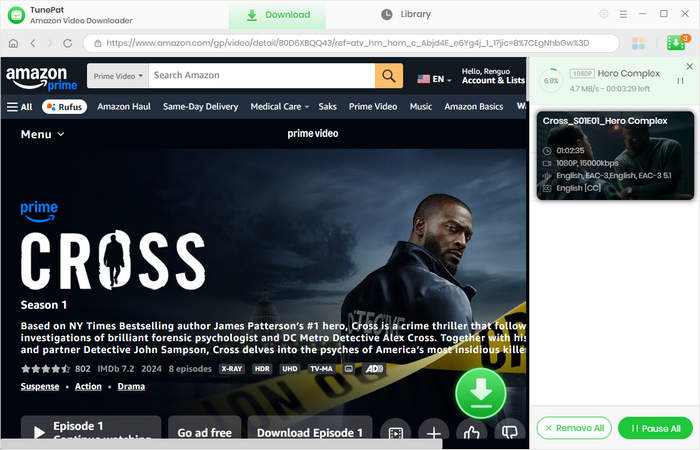
Now, simply click the "Download" button, and TunePat will start to download Prime's video to your computer. During the process, you can add more titles to the download queue, and TunePat will proceed with them one by one.
Step 6 Watch Amazon Prime Video Offline on PC
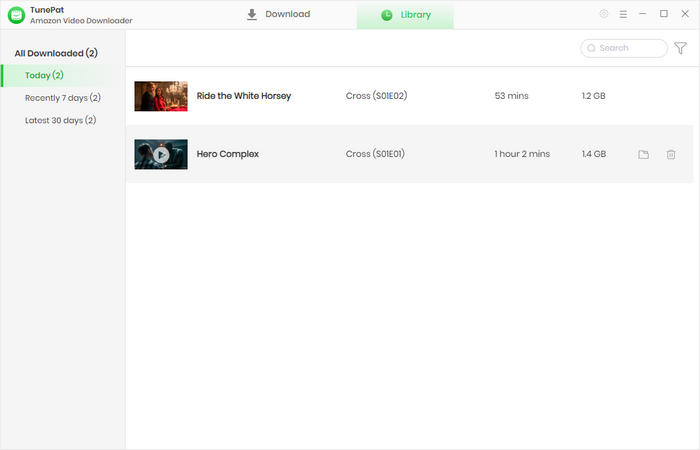
TunePat has a fast download speed, and an episode can be fully downloaded in several minutes. When it is complete, you can find your download history in the "Library" tab. Click the folder icon, and the output folder will open. You can now get plain video files. Thereafter, you can watch Amazon Prime Video offline at any time on PC or transfer them to other devices.
Part 2: How to Download Titles on Amazon Prime Video for PC
If you prefer to download videos on the Amazon Prime Video app for PC, check this section. In this way, you are able to watch videos offline on the app, which is very convenient.
Step 1 Install the Prime Video for Windows app on your PC with Windows 10 or 11.
Step 2 Run the app and sign in to your account.
Step 3 Browse the library and open a video.
Step 4 Find the download icon under the description and click it.
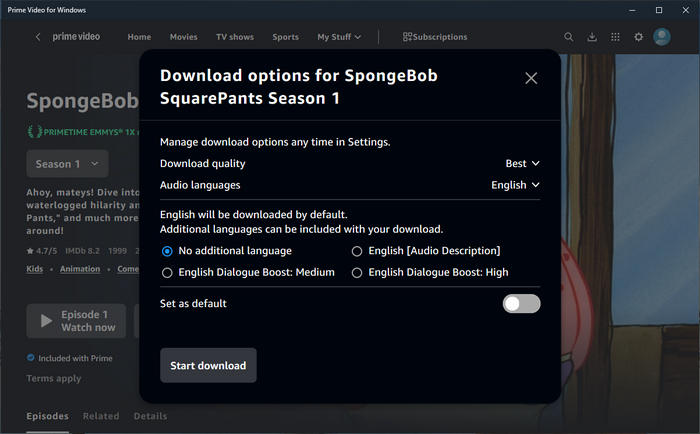
Step 5 Choose the download option, such as quality and audio, according to your needs.
Step 6 Finally, click "Start download" to download titles on Amazon Prime Video for PC.
Part 3: FAQs about Amazon Prime Video on PC
Can I watch Prime Video in Windows 7?
You can access the web browser to watch Prime Video online in Windows 7. If you mean to use the Prime Video app, you should install Windows 10 or 11 on your computer, since the app doesn't support Windows 7. But you can still download Amazon videos on Windows 7. TunePat Amazon Video Downloader will help you effortlessly download Amazon Prime videos for PC.
How long does an Amazon Prime Video last?
Amazon Prime Video has a time limit, and it depends on the video type. The purchased videos can be streamed and downloaded at any time. The rented videos and the downloaded subscribed videos last for 30 days, and you typically have 48 hours to finish watching once you start playing. Some videos may disappear from Amazon Prime due to authority expiration. Try using TunePat Amazon Video Downloader to download and keep Prime videos forever.
How to download Prime Video on Windows 10?
To download Prime Video on Windows 10, open the Microsoft Store to install the app. Then sign in to your account. Find the title you'd like to download. Finally, click the download icon to save the video for later watching. To download Prime Video on a local PC, it's convenient to use TunePat Amazon Video Downloader, which helps you easily save videos in MP4 with 1080p resolution.
Conclusion
To download Amazon Prime Video on PC, you can use the professional tool, TunePat Amazon Video Downloader. With TunePat, you can download any title from Amazon Prime Video without any limitations. Additionally, you can save all Amazon videos in MP4 or MKV format and transfer them across devices. TunePat makes video downloading easy. Try it for free and watch Prime Video offline anytime!




Amelia Gonzalez
Web Editor