TunePat HBOMax Video Downloader Tutorial

TunePat HBOMax Video Downloader is a user-friendly program that can download movies and TV shows from (HBO) Max. It supports searching for Max content by name or URL, and provides several output setting options that allow you to export Max videos in MP4/MKV format and save audio tracks and subtitles in different languages. Read how to use it.
To download the whole video with TunePat HBOMax Video Downloader, you need to register the program on your computer. Follow the guide below to unlock the full version.
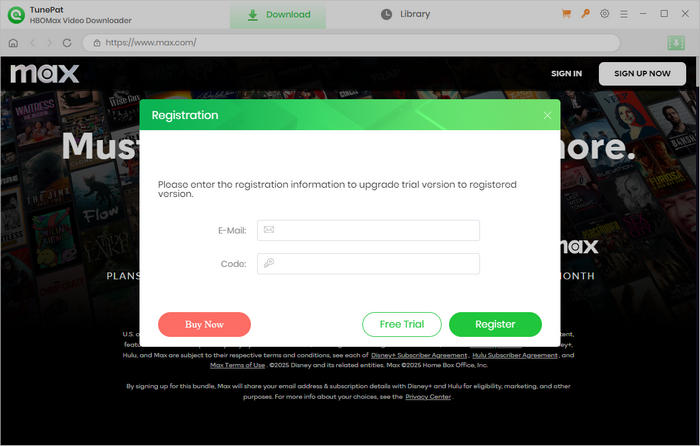
Step 1 Run TunePat HBOMax Video Downloader on your computer, click on the key icon on the top right corner of the screen to open the registration window.
Step 2 Copy and paste the registration email and code you received into the registration popup window. Then click "Register".
Note: The registration information is case sensitive. Please do not leave space at the beginning or end of the registration information.
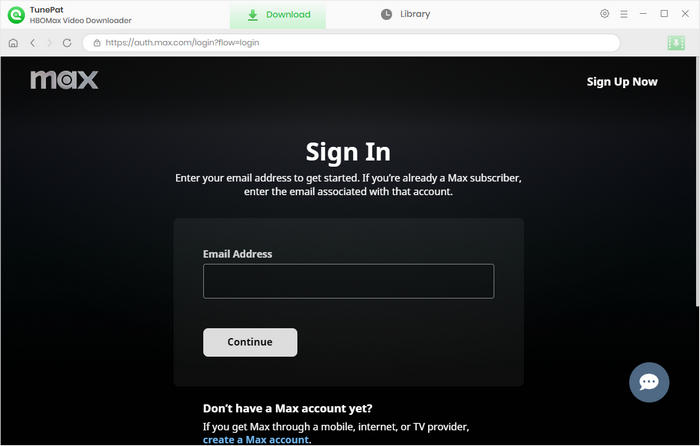
Step 1 Launch TunePat HBOMax Video Downloader. The built-in web player will open. Click "SIGN IN" to log in to Max with your account.
Note: TunePat will not take any information out of your account.
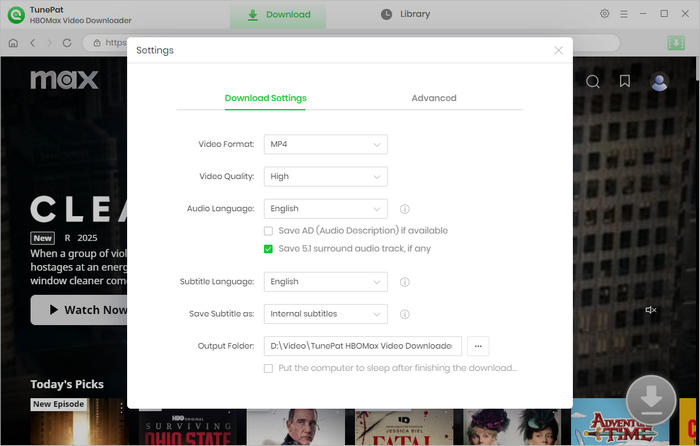
Step 2 Click on the "Settings" button on the upper right corner to choose the output format (MP4/MKV), the video quality (High, Medium, Low), the language of audio tracks and subtitles, subtitles type, the output path, etc.
Step 3 Browse and find the video you want to download. You can search for the title with the search feature of Max, or enter the keywords or URL of the video into the address bar of TunePat. Then click to open the details page.
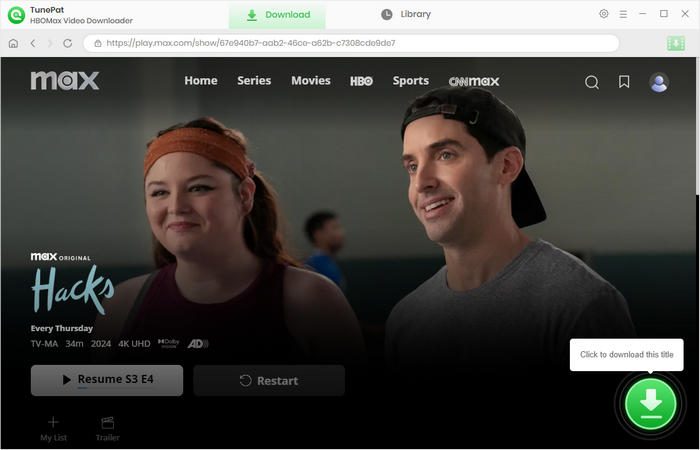
Step 4 If you are downloading a TV show, you need to choose episodes before customizing the advanced download settings. And then click the "Advanced Download" button in the lower left corner and select settings for video quality, audio, and subtitles.
If you are downloading a movie, the advanced download settings window will pop up automatically after clicking the arrow icon.
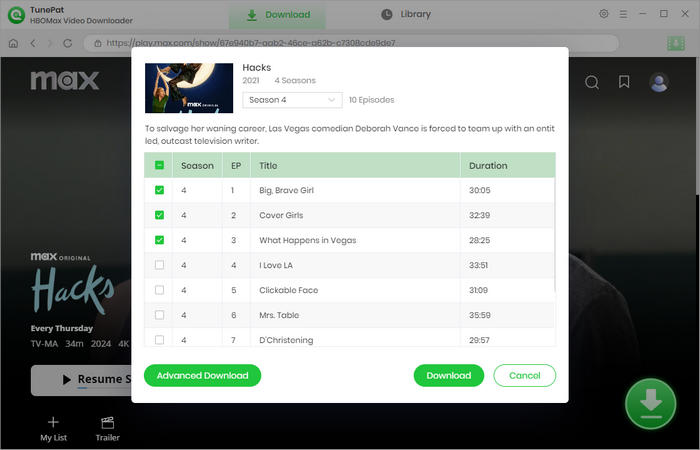
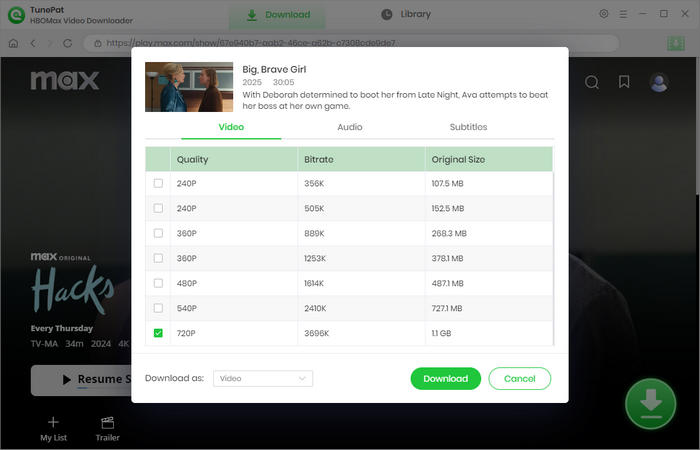
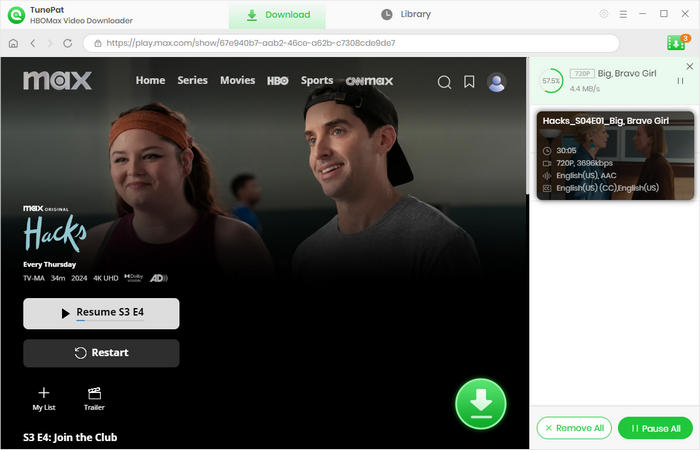
Step 5 Click the "Download" button, TunePat will download the selected video at a fast speed. If you want to add new videos to the download queue, just repeat the above steps.
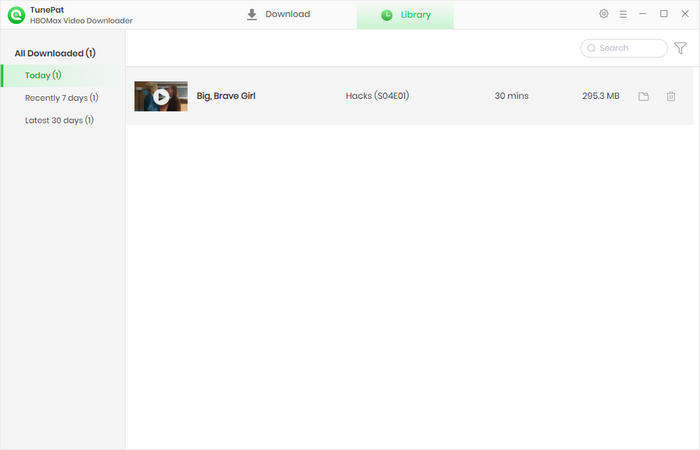
Step 6 Once the download process is done, click on "Library" tab to check what videos are downloaded. Click the folder icon to find the local files saved on your computer.
 Get PDF User Manual of TunePat HBOMax Video Downloader