If a conversion fails, try these troubleshooting steps first:
-
Update or download the latest version. In TunePat, go to Menu > Check for updates, or download the latest version from the TunePat Download Page.
-
Download files in smaller batches. Avoid processing too many files at once.
-
Check your account status. Make sure you can sign in to your account successfully using an external web browser, and verify that your account has an active subscription. You can also try signing in to or out of your account in the program, then check whether the video can play normally within the program.
-
Check your IP address and regional restrictions. If you are using a VPN, try disabling it or switching to a different VPN server.
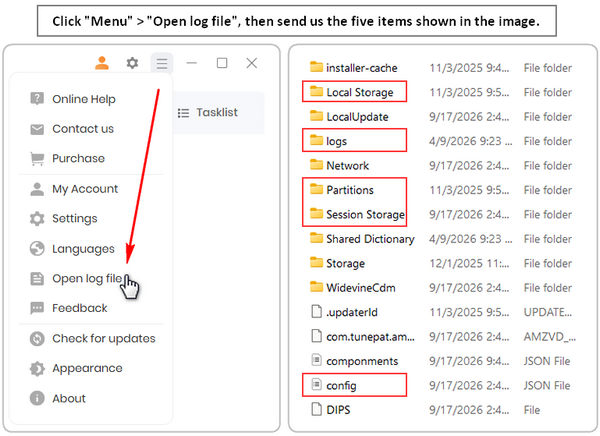
If the problem persists, please contact us at support@tunepat.com or via Menu > Feedback. Please clearly describe the issue, the troubleshooting steps you have already tried, and the results. To help us investigate the problem more efficiently, please also provide the following information:
- Screenshots or a screen recording showing the issue.
- A link to the uploaded screen recording, if available.
- The TunePat log files and login cache, including the Local Storage, Partitions, Session Storage folders, and config.json file.

 icon to open the registration window.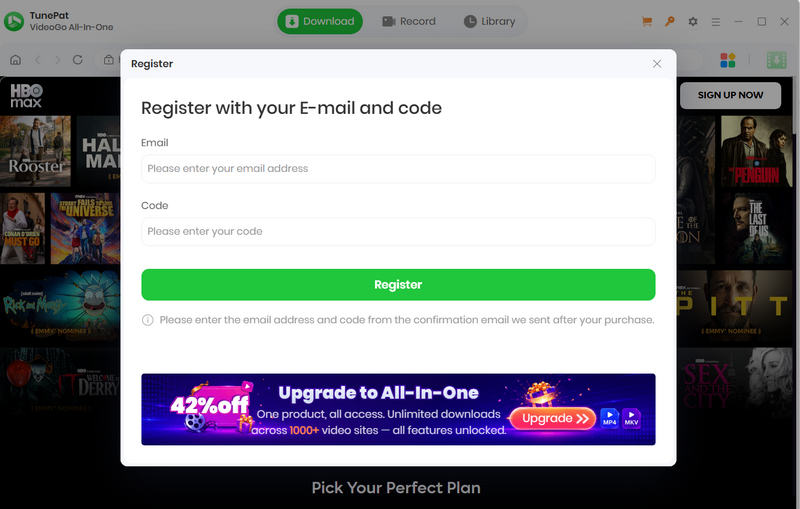
 icon on the upper right corner of the screen and click "Register" from the menu list, enter your registration email and code into the pop-up dialog window.